



Learn how dakis helps retailers sell services online. Enhance revenue with our scalable ordering model. Contact us to modernize your offerings.

Learn how dakis Workjobs enhances service workflows for photo retailers. Improve efficiency & boost revenue today!

New Advertek products enhance the dakis Fulfillment Network. Offer customizable gifts to your customers today!
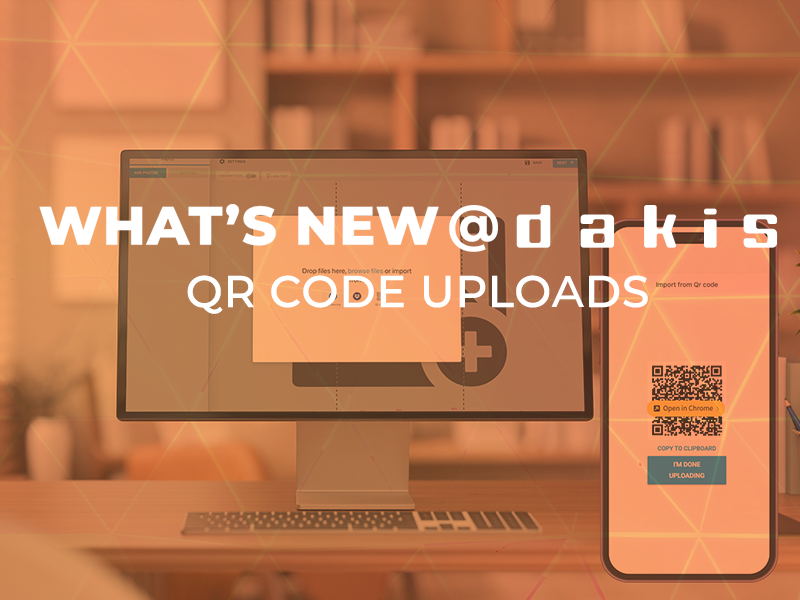
A faster, easier way for customers to print and create photo gifts, now available to all dakis retailers. At dakis, we’re always looking for ways to make photo printing and photo gift creation smoother, faster, and more intuitive for your customers. Today, we’re excited to introduce a brand-new feature available across our Online Photo Solution (OPS) for both the printing and gifting applications: Wireless QR Code Upload Your customers can now upload photos directly to your dakis Photo Factory simply by scanning a QR code with their phone: no app, no cables, no account required. Just point, scan, and upload. This feature is already live on your platform, meaning there's nothing you need to activate, install, or configure. Your customers can begin using it immediately.

Retail has changed more in the past five years than in the twenty-five before it. Customers expect a seamless experience wherever they shop; online, in-store, or on their phone. But for many retailers, running multiple disconnected systems for point of sale, ecommerce, payments, kiosks, and photo services creates daily headaches: multiple logins, scattered data, and complicated reconciliations. That’s why we built the dakis Unified Commerce Platform . One Platform. One Login. One Source of Truth. With dakis Unified Commerce, you don’t need to patch together separate solutions. Everything works from a single, real-time system: Point of Sale with Integrated Payments (dakisPay): Process in-store and online transactions with ease. Transparent pricing and advanced tools like separate authorization and capture make payments smooth for both you and your customers. [ Find our more about dakisPay here ] Ecommerce & Webstore: A modern, SEO-friendly online store designed for photo labs and camera retailers. Customers can browse, order, and pay seamlessly, whether for prints, wall art, gifts, or gear. Online Photo Solution (OPS): Thousands of pre-loaded product templates let your customers order prints, photo gifts, and wall art online or in-store. Everything is integrated, no duplicate work. In-Store Kiosk: Hardware-independent kiosks let customers order right in your shop, connected in real time with your webstore and OPS. Back-Office Integration: Inventory, customer data, orders, and payments flow through the same system. That means fewer errors, faster reconciliations, and more time to focus on growing your business.

Price update notifications from manufacturers can be a headache, especially when they involve hundreds of products at once. This guide will walk you through a fast and structured way to apply MSRP changes in your mydakis inventory using Excel, even if you haven’t assigned SKUs to all your products. Whether you receive price changes in PDF or Excel format, these steps will help you match and update the appropriate products efficiently. ⚠️ Note: All examples and product data within the sample files are entirely fictional and used strictly for instructional purposes. What You'll Need Documents A price increase file from the manufacturer (PDF or Excel) A CSV product export from your mydakis WebStore (targeted by brand) Tools Microsoft Excel A PDF to Excel converter like smallpdf.com Your mighty brain Excel Functions & Tools You’ll be using these Excel features to match and apply price changes efficiently: XLOOKUP : to retrieve the new price value from the manufacturer’s data COUNTIF : to check if a product’s MPN or UPC exists in the manufacturer list Filter tools : to display only the rows that match and need price updates These tools make the process much faster once you're comfortable using them — even for large product lists. 🔍 Step-by-Step Guide 1. Export Your mydakis Inventory Export a CSV of your products by brand: Target the brand referenced in the manufacturer's pricing document Export only essential fields: UPC, MPN, Product Name, Regular Price Product Name is optional, but helpful for spot checks -> Link to mydakis export guide 2. Convert Manufacturer File to Excel (if needed) If the file is a PDF, convert it to Excel using smallpdf.com or a similar tool. 3. Prepare the Manufacturer Data Standardize the MPN format (prefix with a # as your mydakis export uses hashtags) Structure the data into columns: MPN, UPC, and Price Product Name is optional for validation 4. Set Up Your Excel Workbook Create two tabs: Tab 1: Paste your mydakis CSV export Tab 2: Paste the manufacturer price update info In the mydakis tab, create these temporary columns: MPN Count UPC Count Product Name by MPN (optional) Product Name by UPC (optional) ⚠️ The above are helper columns — you’ll delete them later before uploading. 5. Match Products Using COUNTIF In the MPN Count and UPC Count columns: Use COUNTIF to check if each product’s MPN or UPC exists in the manufacturer data A value of 1 or more indicates a likely match Optionally, use XLOOKUP to pull in product names from the manufacturer file for visual confirmation. 6. Filter for Matches Filter out all rows where both MPN Count and UPC Count are zero. These products are not targeted and should be ignored — or handled manually. ⚠️ Heads-up — this isn’t a perfect science! While this method can save you a lot of time, it depends on having clean and consistent product data. If the manufacturer’s file doesn’t include a UPC or MPN — or if your mydakis inventory doesn’t have those values for certain products — those items simply won’t match. That’s totally normal. Any unmatched products will need to be updated manually. Just focus on what you can match, and chip away at the rest afterward.
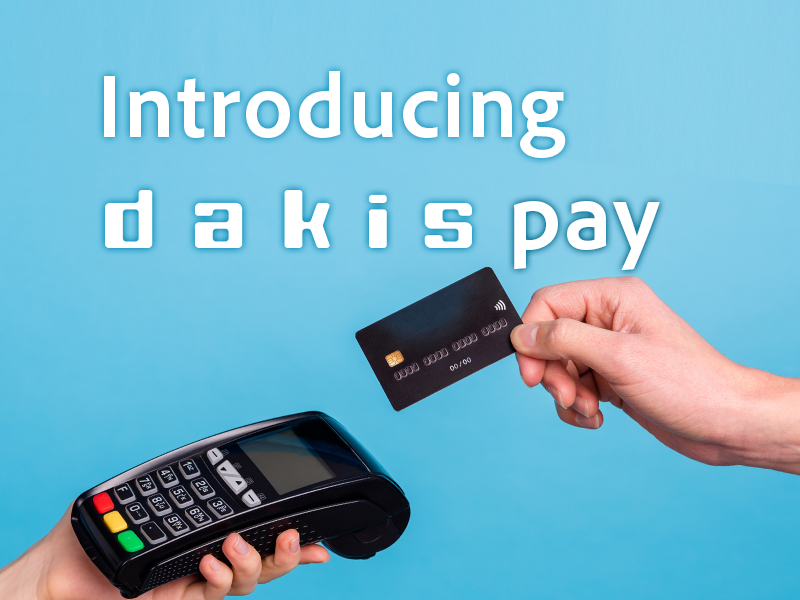
If you run a retail business: online, in-store, or both; you know payments aren’t just a line item. They’re the heartbeat of every transaction and a huge part of your customer experience. That’s why more forward-thinking retailers are making the switch to dakisPay . Here’s why it might be time for you to do the same: 1. Transparent Interchange Plus (IC +) Pricing Nobody likes surprises when it comes to fees. With dakisPay, you get crystal-clear IC + pricing . That means you’ll always know exactly what you’re paying, no hidden surcharges or confusing rate tiers. Every statement is easy to read and even easier to reconcile. You stay in control of your costs, so you can focus on running your business, not deciphering your payment bills. 2. Powerful Payment Management: Separate Authorization & Capture Ever had an order that needed a little extra review before finalizing? With dakisPay, you can separate payment authorization and capture . Authorize the payment when an order is placed, then capture the funds only when you’re ready to ship, deliver, or fulfill the order. It’s a feature built for the way modern retailers operate; giving you flexibility, security, and peace of mind. 3. Optional ClearSale Fraud Protection: Real Security, Real Peace of Mind With dakisPay, you have the option to add ClearSale’s industry-leading fraud protection to your transactions. This means advanced fraud monitoring and human review for suspicious orders, plus real insurance for your business. If a fraudulent transaction slips through, you’re covered, no more worrying about costly chargebacks or lost revenue. Your customers get a safe, frictionless experience, and you get total peace of mind. 4. Total Control—All From Your mydakis.com Portal No more bouncing between platforms or calling support to manage payments. dakisPay lets you void, capture, refund, and even partially refund transactions all from the user-friendly mydakis.com portal. Mistake in an order? Need to issue a partial refund for a return? You’re in the driver’s seat, with every tool you need just a click away. 5. Accept Partial Approvals for Prepaid Cards With dakisPay , you can accept transactions that allow for partial approvals ; a feature especially useful when customers pay with Visa or Mastercard prepaid cards. If a customer’s prepaid card doesn’t cover the full purchase amount, dakisPay can approve the card for the available balance and prompt for a secondary payment method to complete the transaction. This means you’ll never have to turn away a sale simply because a prepaid card didn’t have enough funds. It’s a win-win for both you and your customers! 6. Unified Experience: Online and In-Store, One Portal Consistency is key for your business and your customers. dakisPay offers a single, unified payment portal for both your ecommerce website and your in-store POS; right from the Unified Commerce app. Whether a customer buys online, in person, or starts online and picks up in-store, the experience (and your payment process) is seamless. That’s less confusion for your team and a smoother journey for your customers. 7. Apple Pay Coming Soon Want to offer even more convenience to your customers? Apple Pay is coming soon to dakisPay , so your shoppers will be able to pay quickly and securely using their Apple devices, both online and in-store.

dakis University is a growing collection of self-guided video playlists, each focused on a specific aspect of the dakis ecosystem. It’s your go-to resource for learning how to get the most out of your dakis tools — whether you're managing your website, configuring your webstore, or launching a unified commerce strategy. The first playlist in the series is all about the dakis website editor, with step-by-step demonstrations on: Editing your website content Adding and styling text and images Using editor tools like undo/redo, backup, and preview And more Future playlists will cover topics like: dakis Unified Commerce Configuring your shopping cart Managing your webstore Running the Online Photo Solution Tips and tricks to streamline your workflow Here's the first video of the series called How to Log in to the editor

In today’s competitive retail landscape, camera stores, photo labs, and printing shops need to maximize their marketing efforts to attract and retain customers. With the right strategy, small and medium-sized businesses (SMBs) can increase foot traffic, enhance online visibility, and drive more sales. To help you achieve this, we’ve put together an actionable checklist tailored for businesses like yours. Why Marketing and Communications Matters for Your Business The digital shift has transformed how customers find and shop for photography gear and printing services. Whether you're selling cameras, offering film development, or providing high-quality prints, a structured marketing plan will help you stand out and grow your business. Objectives: Increase visibility among quality potential customers. Strengthen brand awareness and credibility. Boost in-store and online sales through strategic marketing initiatives. 1. Free and Continuous Marketing and Communication Actions Monthly/Seasonal Campaigns & Thematic Promotions centered around exciting themes like: Holiday Gift Guide, Back-to-School Photography Gear, Father’s Day & Mother’s Day Specials, Wedding & Event Photography Packages, Spring Cleaning Sale (Used Gear Buyback Program), Summer Travel Photography Essentials and more. Kids, Mother, Father, Grand-Parents, family and more. Wedding, Graduation, Sports, Holidays, Vacations & Travel, Home Décor, School and more. customer testimonials, product showcases, and behind-the-scenes content, photography tips and tutorials, local community events and groups and more. Organize engaging in-store events, such as: Photography workshops, Camera demo days, Special print days, interactive camera displays where customers can test new gear, introduce a photo booth/selfie station to attract engagement and more. Content & Promotions Creating engaging promotions and ensuring customers are aware of them is essential. Here’s what you can do: Add a dedicated promotions section to your website with seasonal offers. Create a landing page for each campaign with clear calls to action (CTAs). Send email blasts announcing your promotions. Post social media updates linking to your promotion. Use in-store signage & flyers to reinforce messaging. Include envelope stuffers with online promo codes for in-store customers. Organic Social Media & Local Engagement Social media is a powerful tool to build your brand and stay connected with your customers: Post regularly on Facebook, Instagram, and Google Business Profile . Share customer testimonials, product showcases, and behind-the-scenes content . Provide photography tips and tutorials . Engage with local community pages and groups . Use Facebook & Instagram Stories/Reels to highlight promotions and new arrivals. Google My Business & SEO Optimizing your online presence helps ensure customers find your store when searching for related services: Keep Google Business Profile updated with fresh posts, store hours, and services. Encourage customer reviews and respond to feedback. Optimize your website with SEO-rich blog content, keywords, and structured data to improve search rankings.